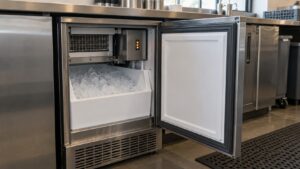
The CLEAN indicator isn’t an error at all — a U-Line clear ice machine CLEAN error is really just a scheduled reminder that the ice-making system is due for a cleaning and descaling cycle.
Understanding the U-Line Clear Ice Machine Clean Error
Below, our specialists break down everything you need to know about the U-Line Clear Ice Machine Clean Error.
What the CLEAN code means
CLEAN is a maintenance reminder built into the control’s schedule. Because a clear ice machine continuously flows water over the evaporator plate, mineral scale and residue build up over time, and this alert simply tells you it’s time to run the cleaning cycle to keep the system performing correctly.
Common causes
- The control’s built-in maintenance timer has reached its interval
- Mineral-heavy water supply accelerating scale buildup on the plate and water lines
- Extended time since the last cleaning cycle was run
Symptoms you may notice
- CLEAN displayed at a routine interval, independent of any ice quality issue
- Possibly cloudier cubes or slower harvest if scale has already started affecting the plate
- Slightly reduced water flow across the plate if mineral buildup has narrowed the flow path
How to troubleshoot it
- Check your water filter’s condition and replace it if it’s due, since a fresh filter supports a more effective cleaning cycle
- Run the CLEAN cycle following your model’s display prompts; this is the direct fix for the CLEAN alert itself
- Allow the full cycle to complete without interrupting it, since clear ice cleaning cycles typically run through their own flush and rinse steps
- Once complete, run a normal freeze cycle and check that cubes come out clear rather than cloudy
- Unplug the unit only if you plan to manually wipe down the bin or accessible surfaces in addition to running the automated cycle
- Reset the CLEAN reminder if your model requires a separate confirmation step after the cycle finishes
When to call a technician
A technician generally isn’t needed for the CLEAN reminder itself. If ice remains cloudy or production stays slow after completing a full cleaning cycle, that points to a separate issue worth having inspected.
Can you keep using it?
Yes, the machine keeps making ice with CLEAN displayed. It’s best to run the cleaning cycle at your next convenient opportunity to maintain clear, high-quality cubes.
U-Line clear ice machines are built and documented by the manufacturer in Milwaukee. For official specifications and owner documentation, visit the manufacturer at u-line.com.